Baby Shark Dentist Play: Game
- 3.2
- Rating
- 500.00K
- Installs
- Free
- Price

 Analysis by App-foxy
Baby Shark Dentist Play: Game is the kind of children’s game I would hand to a young child who enjoys familiar characters and simple pretend play. It turns a visit to the dentist into a bright, touch-based activity with Baby Shark at the center. The idea is easy to understand: children help with dental care rather than simply watching a cartoon, so the app has a small educational purpose beneath its playful presentation.
I reviewed it as a free educational game from The Pinkfong Company, and my overall impression is mixed but fairly clear. It is approachable, colorful, and suitable for children who need a gentle introduction to the dentist. At the same time, it is not a deep learning tool, and the free experience may feel limited if a child quickly wants to explore everything available. Families should also remember that optional purchases range from $8.99 to $109.99 per item, which makes parental controls and purchase awareness especially important.
How the current game feels in everyday use
The strongest part of the experience is its immediate simplicity. A child does not need to understand a complicated menu, read long instructions, or learn a difficult control system before getting started. The Baby Shark theme gives the activity a familiar face, while the dentist setting gives the play session a clear purpose. For a preschooler who is nervous about an upcoming appointment, that combination can make the subject feel less strange.
You May Also Like

 Blood Strike: 2.5 Anniversary
Blood Strike’s Loadouts Turn Every Drop Into a Tactical Gamble
A close look at Blood Strike’s custom loadouts: how fast access to signature weapons reshapes its battle royale rhythm, rewards preparation, and narrows the gap between fights.

 Pandora - Music & Podcasts
Pandora’s Music Is Easy to Start, but Harder to Recover
Pandora’s strength is its low-effort path from a seed to a station. Its weak spot is how much confidence it asks you to place in connection, setup, and quiet recovery.

 8 Ball Pool
8 Ball Pool Is Built on Rivalries, Rematches, and Routine
A close look at the rivalries, rematches, shared routines, and unanswered safety questions that turn a quick pool match into a persistent mobile community.

 Samsung Music
Samsung Music’s Quiet Strength Is Playing What You Already Own
Its reach comes less from spectacle than from dependable access to a personal library. That simplicity is both the app’s strongest retention engine and its ceiling.

 AccuWeather: Weather Radar
AccuWeather Review: A Quick, Clear Forecast for Everyday Decisions
For everyday plans, the best forecast is the one you can understand quickly. AccuWeather makes rain timing, radar, and local conditions easy to act on, with a few trade-offs.

 Hill Climb Racing
Why Hill Climb Racing Still Turns Crashes Into One More Run
A tiny car, a bumpy hill and one more upgrade: Hill Climb Racing keeps resurfacing because its simple chaos makes every near-miss feel personal.
More From Our News Desk
View All News


I can easily imagine using it during a short wait before leaving for the dentist. A parent could sit with a child, let them explore the treatment activity, and talk about what a real dentist does. That conversation is more useful than leaving the game to carry the entire educational burden. I would ask the child which part of the visit they think will happen in real life and which part belongs only to the game. In that role, the app works as a conversation starter rather than a complete lesson.
The game is also a reasonable choice for a child who likes tapping and visual feedback but is not ready for text-heavy educational apps. The Everyone age rating fits its child-friendly positioning, and the controls are designed around recognition and direct interaction instead of abstract instructions. Still, parents should stay nearby at least during the first session. Young children can move through menus quickly, and a free game with in-app purchases deserves the same attention as any other app installed on a shared device.
What makes the dental theme useful
Dental care is a good subject for pretend play because it can be intimidating in real life. A child sees tools, hears unfamiliar sounds, and has to sit still while another person examines their mouth. A game can give them a safe space to become the helper. That change in perspective matters: instead of being the patient who has no control, the child gets to participate in looking after Baby Shark.
In my experience, the most valuable use is not repeated tapping for its own sake. It is stopping at natural moments and connecting the screen activity with a routine at home. After playing, a parent might ask the child to show how they brush, explain why teeth are checked, or talk about what they would like to ask at their next appointment. Those small prompts turn a short game into a practical learning moment.
There is also a useful emotional trade-off here. The familiar character may lower anxiety for some children, but children who are already sensitive to dentist imagery may still find the subject uncomfortable. I would watch the child’s reaction rather than assume that a cartoon treatment scene will automatically be reassuring. If the child becomes tense, switching to a calm conversation or a non-medical activity is the better choice.
Where it sits among children’s educational games
Compared with a basic coloring app, this game has a more focused purpose. It gives pretend play a beginning and an outcome connected to dental care, so it can support a specific conversation. Compared with a structured early-learning app, however, it is narrower. It does not replace activities built around phonics, numbers, memory, or broad daily routines. I would choose it for a dental-themed play session, not as a child’s main educational app.
It also differs from a general Baby Shark video experience. Watching a song is passive, while a dentist game asks the child to interact with the situation. That interaction can help a child remember the theme, but it may also become repetitive sooner than a collection of songs or stories. The right choice depends on the child’s goal: reassurance and role-play favor this game, while variety and longer viewing sessions may favor another Pinkfong experience.
For families seeking detailed oral-health instruction, a dedicated brushing guide or a dentist-created educational resource would be more appropriate. Those alternatives can explain technique and routine more directly. This game’s value is its approachable scenario, not clinical precision. I would never use it to teach a child that every real appointment follows the same sequence.
What the recent product information tells me
The game was released on April 26, 2024, and the current version is 2.4. That tells me the product has moved beyond its first release and has received at least some ongoing version development. It is useful context, but a version number alone does not prove that the game has been substantially expanded. I would treat it as a sign of maintenance and evolution, not as a promise of a completely different experience.
Its reach is also meaningful: the game has passed 500 thousand installs. That does not guarantee that every child will enjoy it, but it suggests that the Baby Shark name gives the app a clear audience and helps it stand out among children’s games. The average rating is 3.2 from 565 ratings, with 17 written reviews. I read that combination as a reason to keep expectations measured. The concept is appealing, yet the experience is not universally satisfying.
The current version matters most to someone returning after an earlier installation. A parent who remembers the first release should update before judging the present build, because fixes or adjustments may have changed the feel. On the other hand, I would not assume that updating removes every frustration. The rating indicates that the app still deserves a personal trial, particularly if a child is sensitive to repetition, locked content, or purchase prompts.
Device compatibility is another practical point. The game requires Android 10 or later, so an older family phone or tablet may not be suitable even if it still runs other children’s apps. I would check the operating system before planning to use it for a trip or appointment. A child’s disappointment at the moment of need is avoidable, and this is exactly the sort of detail that is easy to overlook when the game looks simple.
How those changes affect returning families
For an existing user, the move to version 2.4 is best viewed as a reason to check the app again rather than reinstall it automatically. If the game already fits a child’s routine, keeping it current is sensible. If the child stopped playing because the activity felt too short or repetitive, an update may improve the experience, but it may not change the basic design. The central appeal remains the Baby Shark dentist scenario.
I would also review the device’s purchase settings after updating or reinstalling. The game is free to download, but optional items can cost from $8.99 to $109.99 each. That wide range makes it important to know whether a child can reach a purchase screen and whether the device asks for adult approval. The safest workflow is to configure parental purchase restrictions first, then let the child play independently.
Another useful habit is to play together once after a major update. Children often remember where buttons are, but an updated layout or newly visible option can change how they move through the app. A shared check lets a parent see what the child is doing without turning every session into supervision. It also provides a chance to identify which parts are genuinely educational and which are simply rewards or decoration.
Small strategies that improve the experience
My first practical tip is to use the game before, rather than during, a stressful dental appointment. A child needs enough calm attention to ask questions and express concerns. Starting it in a rushed waiting room may turn it into a distraction instead of preparation. A short session at home gives the parent time to explain that a real dentist may use different tools and may ask the child to open and close their mouth.
My second tip is to set a stopping point before opening the app. Because the activity is designed for quick interaction, a child may ask to continue even after the useful conversation is over. I would agree on one small play session and then move to brushing, a story, or another offline activity. This keeps the game connected to dental care instead of making it another endless screen request.
My third tip is to treat the game as a role-play prompt. After the child helps Baby Shark, reverse the roles: let the child pretend to be the dentist while the parent or toy is the patient. This can reveal what the child actually understands and whether the game has reduced anxiety. It is a stronger test of learning than simply asking whether the child liked the colors.
A fourth insight concerns shared devices. If several children use the same tablet, I would avoid assuming that each child will have a separate experience. Keep the device in a place where an adult can notice purchase requests and supervise younger users. The game’s free entry is convenient, but the presence of paid items changes how casually I would hand over the device.
What still limits its usefulness
The biggest limitation is scope. A dentist-themed game can introduce a situation, but it cannot provide the full explanation a child may need about brushing, flossing, food choices, or professional care. Parents looking for a complete oral-health routine will need another resource. I would pair this game with real brushing practice and advice from a dental professional, not present it as a substitute for either.
Replay value is another question mark for me. The focused premise is the reason the game is easy to understand, but it is also the reason some children may finish exploring it quickly. A child who wants open-ended creativity, many characters, or a broad collection of mini-games may outgrow it sooner than a child who enjoys repeating a familiar pretend-play task.
The rating of 3.2 reinforces that caution. I would not call the app a poor choice solely because of that number, since children’s preferences vary widely and written feedback is limited. Still, it is not the kind of score that supports an unconditional recommendation. I would install it for a child who already likes Baby Shark and needs a gentle dentist-themed activity, while avoiding it as a blind purchase for a child who is easily bored.
The purchase structure also affects the way I evaluate the free experience. Free access makes testing easier, but families should decide in advance whether paid content is acceptable. The highest listed item price is substantial for a children’s game, so I would not let a child browse freely in the hope that every option is harmless. The free download is convenient, but purchase supervision is essential.
There is also a difference between emotional preparation and factual accuracy. The game may make the dentist feel friendlier, but a child could still form unrealistic expectations about how quickly or playfully a real appointment happens. I would explain that the app is pretend play. That single sentence prevents the most common misunderstanding and keeps the game in its proper place.
Who should choose it, and who should skip it
I would recommend it to parents of young children who recognize Baby Shark, enjoy simple touch games, and have an upcoming dental visit or a need to talk about oral care. It is especially suitable when the goal is to make the subject less unfamiliar. A child who likes taking care of toys, pretending to be a doctor, or repeating short activities may get the most from it.
I would be more hesitant for families seeking advanced educational content, detailed brushing instruction, or a long-lasting game with extensive variety. I would also skip it for a child who dislikes dentist themes, becomes frustrated by limited free access, or uses a device below Android 10. In those cases, a calmer story, an offline pretend-play kit, or a dedicated oral-health tool may be a better fit.
Parents should also consider whether the Baby Shark branding helps or distracts. For a fan, the character is a bridge into the subject. For a child who does not know or care about Baby Shark, the theme may add little. The dental idea can still work, but the app’s main visual appeal will be less powerful than it is for an existing fan.
My recommendation after looking at its direction
I see Baby Shark Dentist Play: Game as a focused support tool rather than a complete educational program. The current version, 2.4, and its continued availability suggest an actively maintained product, while the moderate average rating tells me to keep the recommendation specific. I would use it for short, supervised sessions that lead into real conversations about dental visits and daily care.
The app’s best future path would be to keep the dentist theme approachable while giving families more reasons to return without making paid access feel necessary. I would watch how future versions handle variety, clarity around purchases, and the balance between playful actions and useful explanations. Those are the areas most likely to determine whether the game becomes a dependable preparation tool or remains a brief novelty.
My final view is positive with clear limits. The developer, The Pinkfong Company, has chosen a subject that can genuinely help children talk about an uncomfortable experience, and the Baby Shark character makes the entry point friendly. I would download it for a suitable child, test the free experience together, and set purchase controls before handing over the device. It is worth trying for dentist-themed reassurance, but not worth treating as a full dental lesson or an unlimited free game.
FAQs for Baby Shark Dentist Play: Game
01What is Baby Shark Dentist Play: Game?
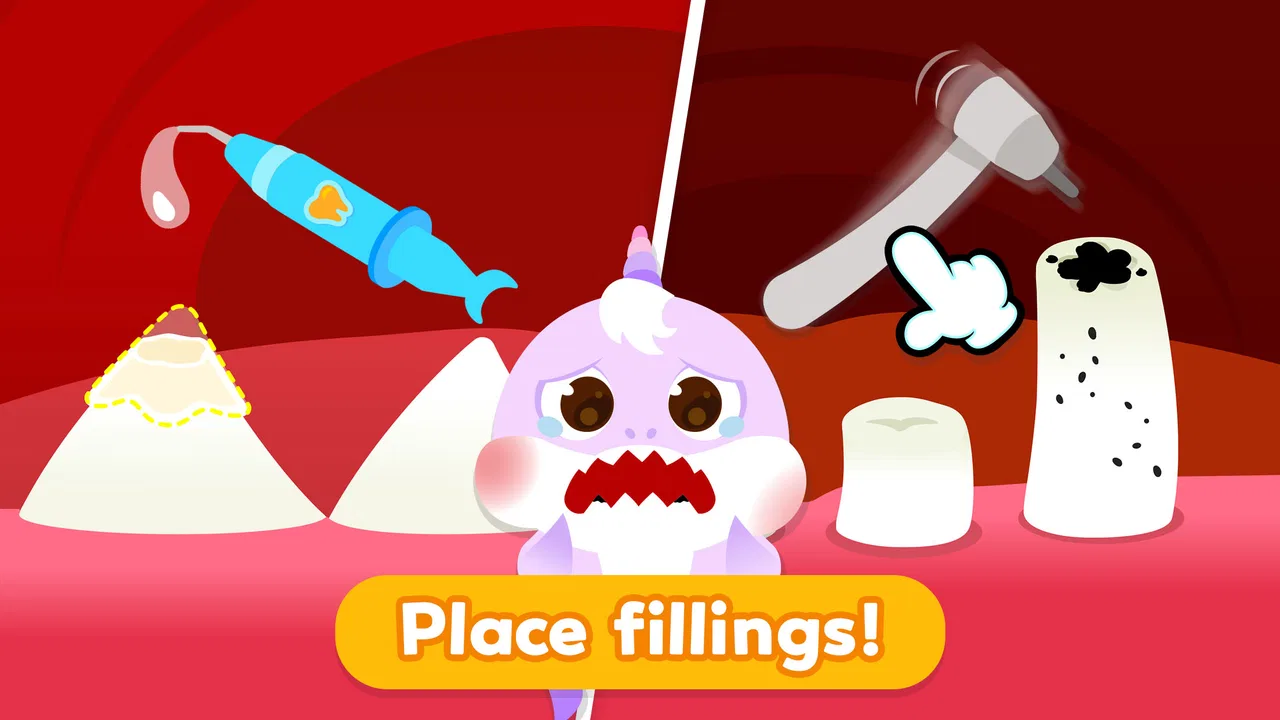
Baby Shark Dentist Play: Game is a child-friendly educational game based on the popular Baby Shark characters. Players act as a virtual dentist, examining characters, cleaning teeth, treating simple dental problems, and completing playful procedures. The experience is designed to introduce young children to basic oral-hygiene concepts through colorful animations, simple controls, and short activities rather than realistic or complicated medical simulations.
02Is Baby Shark Dentist Play: Game suitable for young children?
The game is primarily aimed at preschool and early-school-age children, especially those who enjoy Baby Shark content. Its tap-based controls and straightforward tasks make it accessible for children who may not yet read fluently. However, parents should still check the age rating, language, difficulty, and available content on their device, since suitability can vary depending on the child’s age, sensitivity, and familiarity with dental-themed activities.
03Does the game help children learn about dental hygiene?
Baby Shark Dentist Play: Game can encourage basic awareness of dental care by presenting activities such as brushing, cleaning, checking teeth, and helping characters visit the dentist. It works best as a playful introduction rather than a complete educational lesson. Parents should explain that the game does not replace real brushing, professional dental advice, or regular appointments with a qualified dentist.
04Does Baby Shark Dentist Play: Game contain advertisements or in-app purchases?
Depending on the version, platform, region, and developer settings, the game may include advertisements, optional purchases, or content that requires unlocking. Parents should review the official store listing before downloading and use parental controls or purchase restrictions where appropriate. It is also worth checking whether the application offers a paid, ad-free version and whether an internet connection is needed for advertisements or additional features.
05Can Baby Shark Dentist Play: Game be played offline?
Some of the main activities may work without a continuous internet connection after the game has been installed, but offline availability can differ between Android and iOS versions. Advertising, updates, analytics, or locked content may still require connectivity. For the most reliable answer, parents should test the game in airplane mode after installation and review the current store description before allowing a child to play.
Pros
- Simple controls make it easy for young children to play independently.
- Bright animations and familiar characters can keep preschoolers engaged.
- Short activities suit children with limited attention spans.
- Dentist-themed play can introduce basic oral-care concepts.
- Works well as a quick
- casual game during travel or waiting times.
Cons
- May become repetitive after children complete the available activities.
- Some features or content may require in-app purchases.
- Ads could interrupt play
- depending on the version and device.
- The game offers limited challenge for older children.
- Parents may need to supervise screen time and purchase settings.

Baby Shark Dentist Play: Game
Gallery